LightX AI Photo Editor Retouch2.5.14
Publisher Description
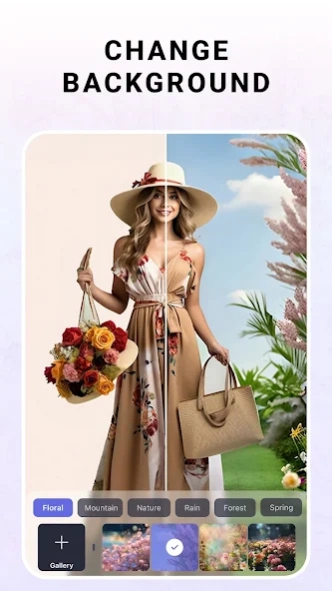


Photo & Video Editor: Face Retouch, BG Remove, AI Filters
LightX – the ultimate AI-driven photo and video editing app. Designed for creators, artists, and storytellers, LightX offers a powerful suite of AI tools that make editing faster, smarter, and more intuitive than ever.
From background removal to art generation and one-tap enhancements, LightX empowers you to animate, transform, and stylize your content in seconds. Whether you're creating AI avatars, editing portraits, or designing standout social posts – LightX puts cutting-edge creativity at your fingertips, all in one seamless platform.
🖼️ Remove the background from any image in seconds—ideal for product photos, ID shots, and social posts.
- One-tap background removal
- Create transparent images or add solid backgrounds
- Great for eCommerce, profile pics, and creatives
🎨 Change Color
Transform object, hair, or background colors instantly.
- Perfect for creative edits or product showcases.
- Recolor clothes, hair, and accessories
- Change background hues for fresh looks
- Test multiple color variations with ease
🌈 Photo Filter
Enhance your photos with artistic, cinematic, or aesthetic filters.
- Apply filters instantly
- Choose from vintage, modern, B&W, and more
- Ideal for portraits, posts, and themed edits
Face Retouch Tools
✨ Face Enhancer
Smooth skin, refine contours, and balance lighting for a naturally polished look.
- Auto-adjust lighting and focus
- Enhance facial symmetry
- Perfect for headshots and selfies
😁 Teeth Whitening Tool
Brighten smiles without overexposing details.
- Natural-looking teeth whitening
- Maintains texture and realism
- Ideal for close-up portraits
AI Tools
🤖 AI Expand
Uncrop your imagination—extend photos beyond their original frame using AI.
- Generate natural surroundings
- Great for thumbnails and social banners
- Maintain seamless compositions
🔁 AI Replace
Effortlessly swap any part of a photo—backgrounds, outfits, or objects.
- Replace with presets or custom visuals
- Perfect for mockups, edits, and scene changes
🌌 AI BG Generator
Generate stunning backgrounds using text or curated templates.
- Text-to-image AI backgrounds
- Choose from ready-made aesthetic scenes
📹 Video Editing Tools
- LightX's video editor allows users to crop, resize, cut, rotate, and trim videos effortlessly.
- Advanced video transformation tools, including real-time color correction, are available for refining video content
🖼Photo and Video Templates
- Over 10k customizable photo and video templates.
- Including but not limited to social media graphics, posters, flyers, celebration invitations, holiday cards. These templates cater to various design needs across different platforms and purposes.
🌸 Graphics
The app includes a rich library of 3D video elements and animated cliparts.
Enhance your graphic designs with curved text and circular text on photos.
Privacy policy : https://www.lightxeditor.com/blog/privacy/
Need a little help?
Write to us- support@lightxeditor.com
About LightX AI Photo Editor Retouch
The company that develops LightX AI Photo Editor Retouch is AndOr Communications Pvt Ltd. The latest version released by its developer is 2.5.14. This app was rated by 15 users of our site and has an average rating of 3.9.
To install LightX AI Photo Editor Retouch on your Android device, just click the green Continue To App button above to start the installation process. The app is listed on our website since 2026-10-16 and was downloaded 350 times. We have already checked if the download link is safe, however for your own protection we recommend that you scan the downloaded app with your antivirus. Your antivirus may detect the LightX AI Photo Editor Retouch as malware as malware if the download link to com.lightx is broken.
How to install LightX AI Photo Editor Retouch on your Android device:
- Click on the Continue To App button on our website. This will redirect you to Google Play.
- Once the LightX AI Photo Editor Retouch is shown in the Google Play listing of your Android device, you can start its download and installation. Tap on the Install button located below the search bar and to the right of the app icon.
- A pop-up window with the permissions required by LightX AI Photo Editor Retouch will be shown. Click on Accept to continue the process.
- LightX AI Photo Editor Retouch will be downloaded onto your device, displaying a progress. Once the download completes, the installation will start and you'll get a notification after the installation is finished.
Program Details
System requirements
Download information
Pricing
Version History
version 2.5.14
posted on 2026-10-16
Customize Your Video 🎬
Create videos with your own avatar, text, brand details, and more.
Improvements:
Better User Experience
Better Performance
Bug fixes
Update now and enhance your photos!
version 2.5.11
posted on 2026-09-14
Improvements:
Better User Experience
Better Performance
Bug fixes
Update now and enhance your photos!
version 2.5.7
posted on 2026-06-16
New Update!
Introducing Duo Photo Shoot, create stunning AI photos with two people together
Improvements:
Better User Experience
Better Performance
Bug fixes
Update now and enhance your photos!
version 2.5.6
posted on 2026-06-16
New Update!
AI Image to Video is here!
Turn your photos into eye-catching videos in seconds. Simply select a preset style and let
AI transform your image into a dynamic video with creative motion and effects.
Update now and bring your photos to life with AI-powered video creation!
Improvements:
Better User Experience
Better Performance
Bug fixes
Update now and enhance your photos!
version 2.5.3
posted on 2026-03-17
New Update!
Improved PersonShoot & Headshot Workflow
Creating professional photos is now easier than ever. You can now choose your preferred pose, background, outfit style, and outfit color
before generating your PersonShoot or Headshot, giving you more control and better results.
Update now and create polished, studio-style photos in just a few steps!
Improvements:
- Better user experience
- Improved performance
- Bug fixes
Update now and enhance your photos!
version 2.4.3
posted on 2025-04-18
New Face Retouching Tools
-Enhance eye contrast
-Try new lip & hair shades
-Whiten teeth & darken brows
-Smooth and sharpen skin
Update now to elevate your selfies!
Improvements:
Better User Experience
Better Performance
Bug fixes
version 2.4.1
posted on 2025-03-18
What's new:
We're always working to make your experience smoother! In this update,
we've focused on refining our tool flow to help you create faster, with fewer taps and an overall simpler process.
Improvements:
- Better User Experience
- Better Performance
- Bug fixes
version 2.2.6
posted on 2024-10-30
What's new:
New tools were introduced.
With our new AI Face Animator, you can turn static images into fun, expressive portraits with just a few taps.
Improvements:
- Better User Experience
- Better Performance
- Bug fixes
version 2.2.1
posted on 2024-08-05
What's new:
New tool introduced
AI Text to Video: Effortlessly convert your words into captivating videos.
AI Image to Video: Transform photos into stunning visual stories.
Improvements:
- Better User Experience
- Better Performance
- Bug fixes
version 2.2.1
posted on 2024-06-06
What's new:
New tool introduced
AI Expand: Extend your image beyond its initial borders. Perfect for altering aspect ratios and creating panoramic views.
Improvements:
- Better User Experience
- Better Performance
- Bug fixes
